

ai ecommerce ad creative generator | Runner AI
Prepare reviewable ad concepts from product details, variants, inventory, and offer context, then check the destination page before publishing in Runner AI.
An ai ecommerce ad creative generator can help a store operator turn catalog facts and a campaign goal into reviewable concepts, hooks, and visual directions. In Runner AI, the useful output is not a prediction that an ad will perform; it is a working brief that can be compared with the product page, offer, variants, and inventory before anyone publishes.
This is especially practical for an operator preparing a seasonal apparel collection, where one hero item may have several sizes, colors, images, and stock positions. A creative idea that is appropriate for a black jacket may be misleading when the featured size is unavailable or the landing page emphasizes a different colorway. The operator needs a process for keeping the campaign message tied to what shoppers can actually see and select.
Start with the campaign job, not a generic asset request
The job is to prepare a clear campaign direction for a product that has a real destination in the store. Rather than beginning with “make an ad for our new collection,” define the merchandising decision: introduce a new outerwear drop, move a selected colorway, explain a premium material, or bring previous visitors back to a specific product page. That distinction affects the hook, featured variant, price reference, and call to action.
Runner AI is differentiated by keeping this work near the storefront context an operator already manages. Product records can include names, descriptions, categories, images, prices, variants, inventory, SEO fields, and publication status. Those details give the operator a factual starting point for a brief. They do not make every product claim safe to use, so the operator should still decide which proof points, images, and offer language belong in the campaign.
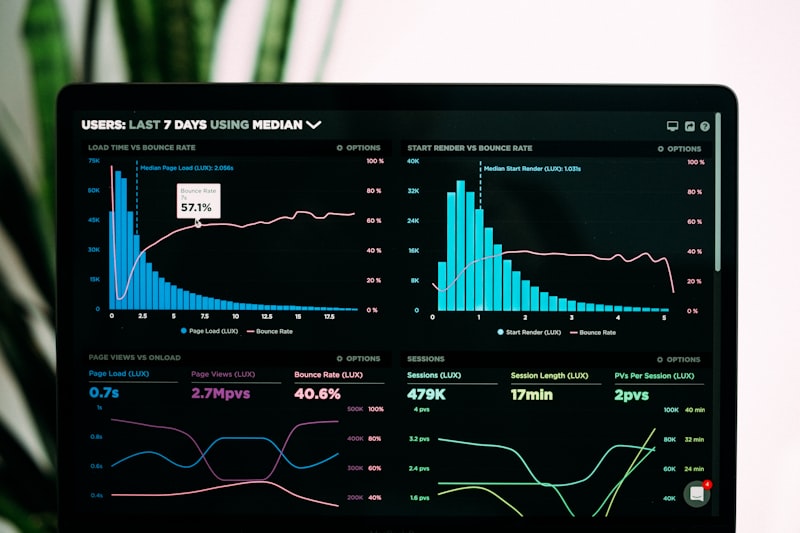
Build an ai ecommerce ad creative generator brief around a seasonal apparel launch
For a variant-rich apparel launch, give the brief enough information to avoid attractive but unusable ideas. Name the product and collection, identify the color or style to feature, state whether the campaign is for new shoppers or returning visitors, and link the intended destination page. Include the approved product description, current price, relevant variant availability, and the specific customer question the page can answer, such as fit, fabric, layering, or care.
Then set constraints. A spring campaign may need lighter styling and a new-arrival message, while an end-of-season push may need to avoid implying that every size remains available. If creative generation is available for the store’s state and plan, it can be used to prepare concepts or visual directions from that context. Treat generated copy and imagery directions as drafts. Review them against the selected product images and approved merchandising position before using them elsewhere.
Use Runner’s reviewable store workflow
Runner operators can build and revise storefront pages from prompts, then preview the result for desktop, tablet, and phone. That makes the landing-page side of a campaign part of the review process rather than an afterthought. If the campaign needs a collection introduction, a product-focused landing page, or clearer on-page explanation, an operator can use chat or Design Mode to propose and review changes.
A sensible sequence is to first establish the destination page, then draft the creative brief against that page, and finally revise either side when the promise does not match. For example, if an ad concept leads with “choose your color,” the destination should visibly support color selection and show relevant product imagery. Reviewable changes are important: the operator decides whether a new headline, section, or product emphasis is appropriate. AI output should not be treated as final copy or automatically published creative.

Supply the inputs that make the brief usable
The quality of a creative brief depends on the store information supplied to it. Confirm the product name, description, category, primary images, current price, variants, inventory, and publication status. For apparel, also identify which sizes and colors are appropriate to feature, whether a model image represents the selected item accurately, and whether the product page already explains material or fit claims. If catalog data is maintained externally, CSV import is available, but imported data still needs operator review.
Keep promotional constraints explicit. State whether there is an approved discount, bundle, or new-arrival message, and avoid adding urgency merely because it sounds persuasive. If low inventory is relevant, verify it before making it central to a concept. A brief can also specify excluded language, such as unsupported comfort, performance, or availability claims. This protects the connection between the creative idea and the catalog facts that shoppers encounter after clicking.

Check the destination before publishing
Before publishing a storefront change or using a campaign concept, perform a practical destination check. Confirm that the referenced product is published, its price and featured variants match the message, and its images support the proposed angle. Open the page in desktop, tablet, and phone previews to catch cropped imagery, missing context, or selection controls that make the advertised item difficult to understand on a smaller screen.
Also check the offer language. A page should not suggest a discount, bundle, or stock condition that the operator has not confirmed. If the creative points to a collection, verify that the collection contains the intended products and does not foreground unavailable options. Finally, distinguish storefront publishing from checkout readiness. A public storefront does not prove that Stripe checkout is configured. The operator should validate the actual shopper journey and any required provider setup before directing paid traffic to it.

Know where this fits—and where it does not
This workflow fits the planning and review stage between merchandising a catalog and distributing a campaign. It can help an operator create a consistent starting point for a product page, campaign page, and possible creative variations without losing track of the underlying offer. It is not a substitute for a marketer’s judgment about audience, positioning, timing, or brand safety. Nor does it establish that a channel connection, automation, experiment, analytics view, or creative-generation option is available for every store.
Those capabilities can depend on store state, plan, provider, role, traffic, data, or staged availability. A generated direction is not evidence that it will improve conversion, revenue, or rankings. If an operator later uses performance data or experiments, conclusions should be based on the data available in that store and reviewed before they influence product copy or future briefs. The aim is a disciplined learning process, not automatic winner selection or publication.

A concrete brief an apparel operator can review
Use a brief with a specific product decision behind it. For example: “Prepare three reviewable concepts for the women’s lightweight field jacket collection. Feature the olive colorway only if its listed sizes are available. The destination is the published product page. For new shoppers, focus on the product’s on-page fabric and layering details; do not claim weather performance beyond the approved description. For returning visitors, prepare a shorter reminder that points back to the same page without inventing a discount. Keep all price references aligned with the current product record.”
This brief tells the reviewer what must stay fixed: the product, destination, approved facts, stock-aware variant, and audience stage. It also leaves room to compare angles, such as utility, styling, or seasonal layering. If the landing page needs adjustment, revise it through Runner’s reviewable workflow, inspect its responsive previews, and approve the final page changes separately from any campaign distribution decision.

FAQ
What should an ad creative brief include?
Include the product or collection, audience stage, intended destination page, approved product facts, featured variants, current price context, inventory considerations, and any offer restrictions. For seasonal apparel, state the colorway, size availability concerns, imagery to use, and claims that must not be added. A specific brief gives reviewers a basis for checking whether a proposed concept remains faithful to the store.
Can Runner AI publish an ad campaign automatically?
Do not assume so. Creative generation, automations, integrations, experiments, analytics, and related marketing functions can depend on plan, provider, role, store state, traffic, data, or staged availability. Operators should review AI output and confirm the relevant publishing or provider configuration themselves. Storefront publication and checkout configuration are separate checks.
Why review the landing page on multiple devices?
A campaign may be viewed on a phone while its destination was initially designed on desktop. Runner AI supports desktop, tablet, and phone previews for storefront changes. Checking each view helps an operator catch a featured image that crops poorly, a product detail that is hard to find, or a variant-selection experience that does not support the campaign’s main promise.
Can a strong creative angle be reused elsewhere?
It can inform later operator-reviewed work, such as product-page copy or a campaign page, when the underlying claim remains accurate. Reuse should not be automatic. Recheck the product facts, availability, offer, and destination before carrying an angle into another message or a later seasonal push.